Five Modules
One Workflow
Zero Context Switching
Projected takes you from an empty site to a validated, export-ready design without leaving a single interface.
Contextualise Your Site
Site Intelligence
Design in 3D
Design Studio
Evaluate
Evaluate
Visualize
Visualization
Share and Export
Export & Sharing
Site Intelligence
Contextualise Your Site
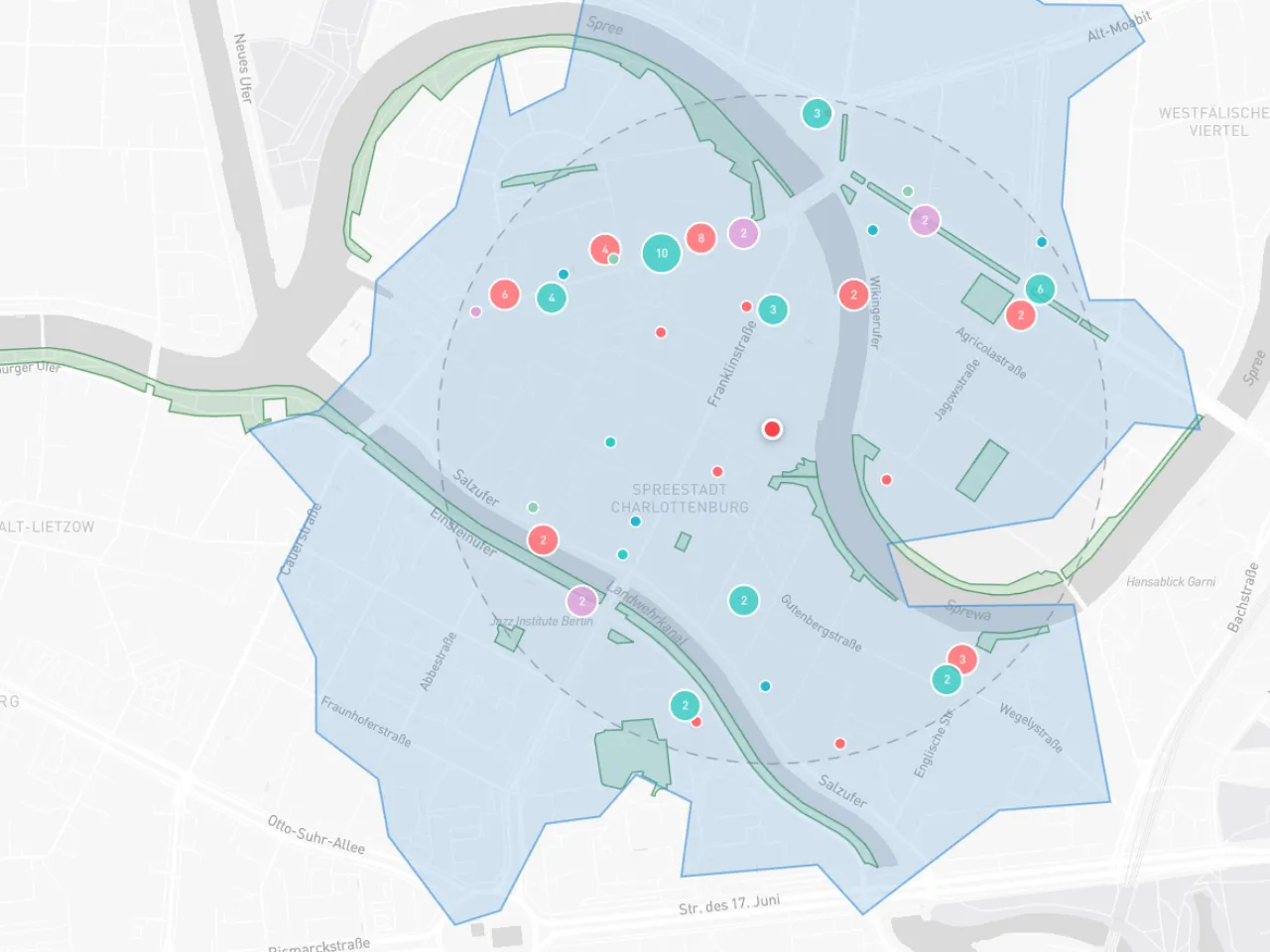
Define boundaries and let Projected aggregate the rest. Climate data, 3D surroundings, points of interest, and travel isochrones populate automatically. You get a complete constraints map before sketching a single line.
- Draw or import plot boundaries with instant area metrics
- Historical climate: wind, solar radiation, temperature, precipitation
- 3D site context from Mapbox including adjacent buildings and topography
- Surroundings analysis with POIs, green spaces, and isochrone maps
Design Studio
Design in 3D
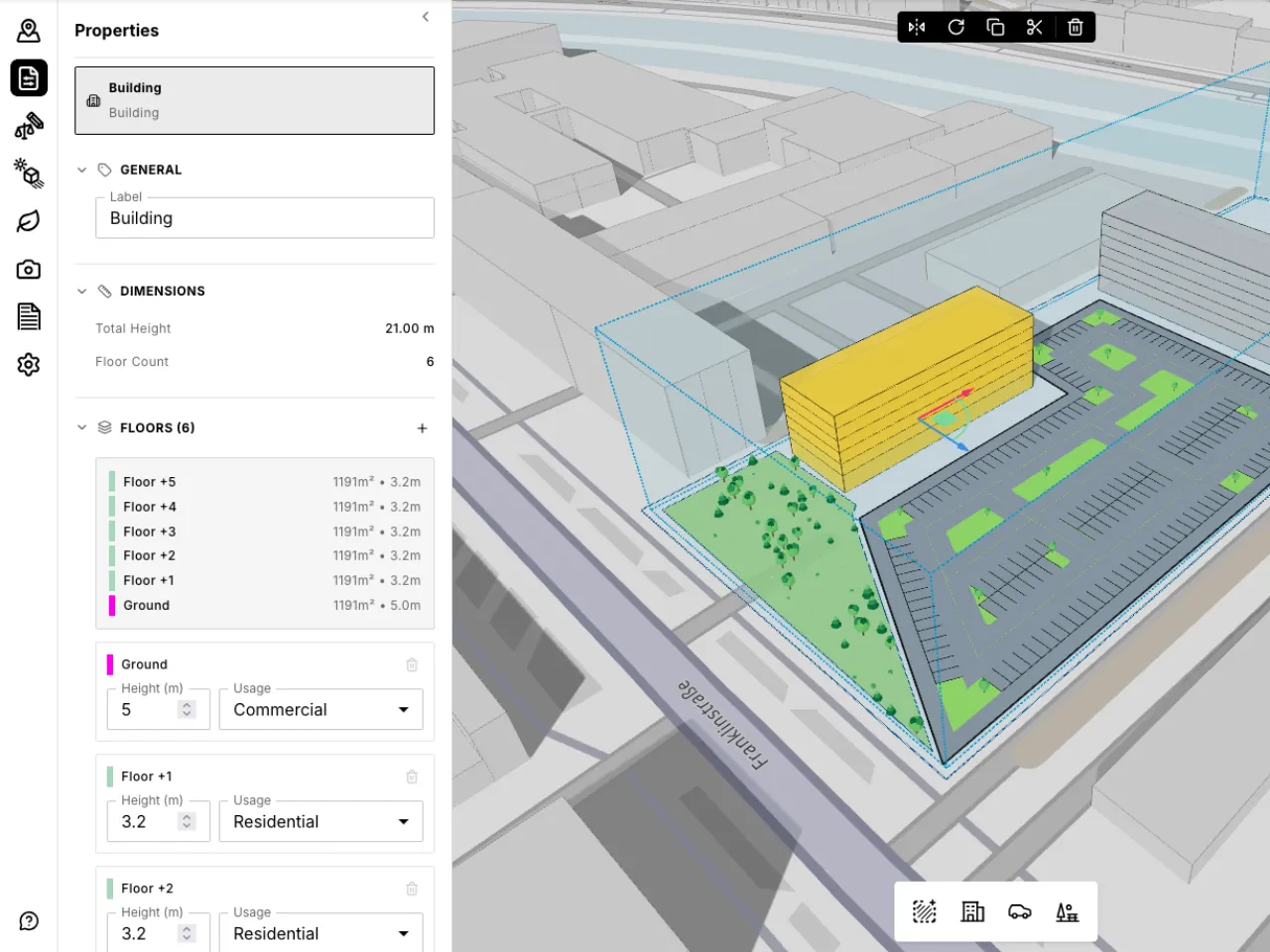
Sketch a building footprint and extrude it into massing. Apply setbacks, height limits, and coverage rules to generate a buildable envelope. Every parameter change recalculates GFA, FAR, unit count, and compliance in real time.
- Freeform plot and building footprint drawing
- Parametric site rules that generate 3D buildable envelopes
- Automatic parking layout from a drawn polygon
- Named views for consistent navigation and export
Evaluate
Evaluate
Run shadow studies, embodied carbon estimates, and unit mix analysis directly on your massing. No file export, no external tools, no waiting for results. Know which variant performs best before you commit.
- Animated shadow casting across hours and seasons
- Whole-life carbon estimates by structure, envelope, and MEP
- Unit mix configuration with type, size, and orientation breakdown
- All simulations update live as you modify the design
Shadow Study
Carbon
Unit Mix
Performance
Visualization
Visualize
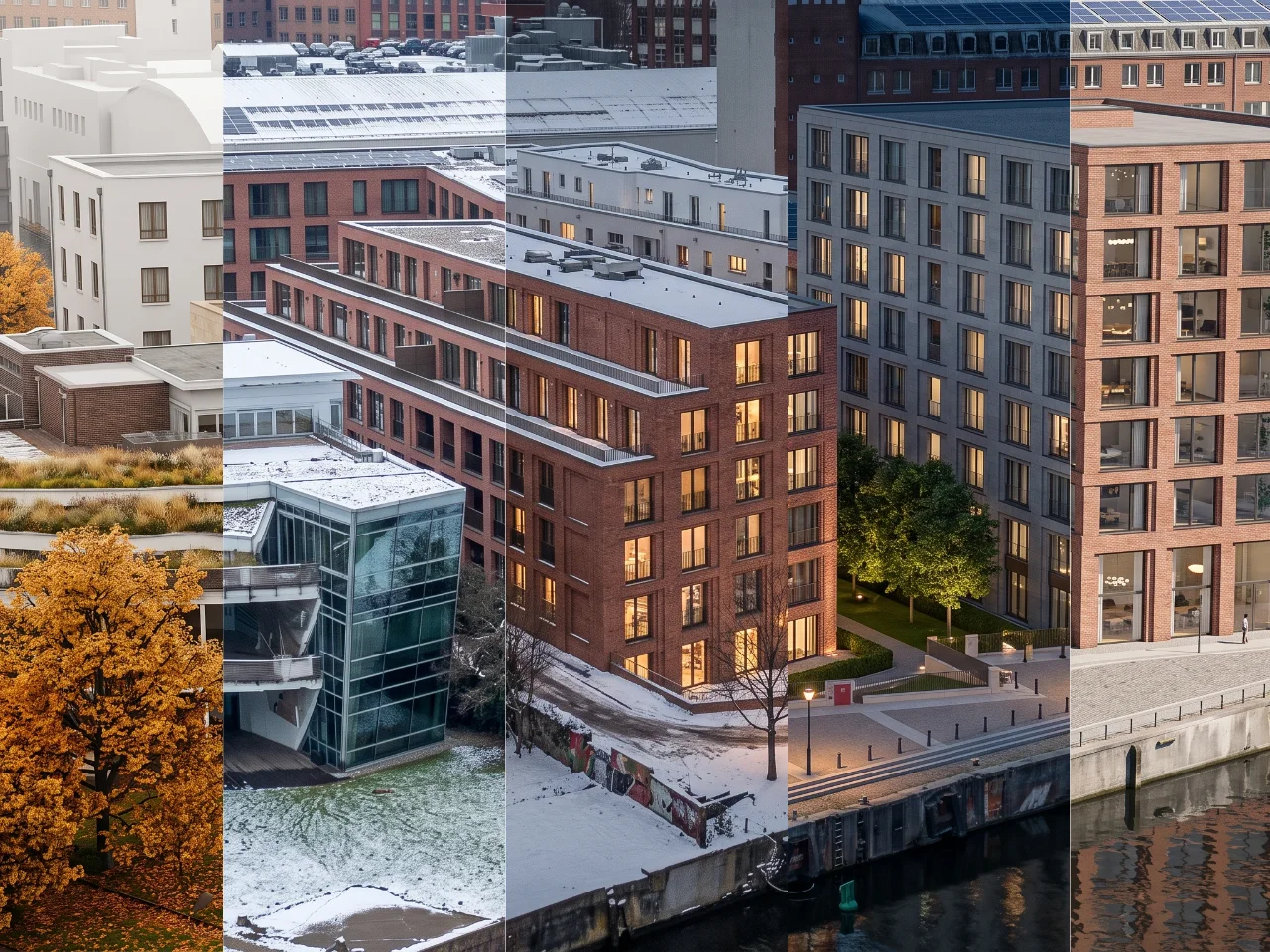
Turn the view you are looking at into a photorealistic image, generated in the cloud and returned in seconds. Explore material directions and lighting without leaving the model or losing the thread of the conversation.
- AI rendering from the live design view, no export required
- Material direction, season, time of day, and camera style
- Images returned in seconds, generated in the cloud
- Every render stored with the settings that produced it
Export & Sharing
Share and Export
Send an interactive 3D link to stakeholders. They explore the model in-browser without installing anything. When the design is locked, export clean files and move straight into detailed design.
- Interactive share links for non-technical collaborators
- Auto-generated PDF reports with plans, metrics, and analytics
- CAD export in DXF and 3DM with correct levels and metadata
- Excel area schedules and unit mix tables
From Days to Minutes
What used to take your team days of manual work now happens in a single session.
2 min
Site setup and constraint mapping
15 min
Design generation, simulation, iteration
1 click
Export to CAD, PDF, Excel, or share link
See It on Your Next Site.
14 days free. Full platform access. No credit card required.